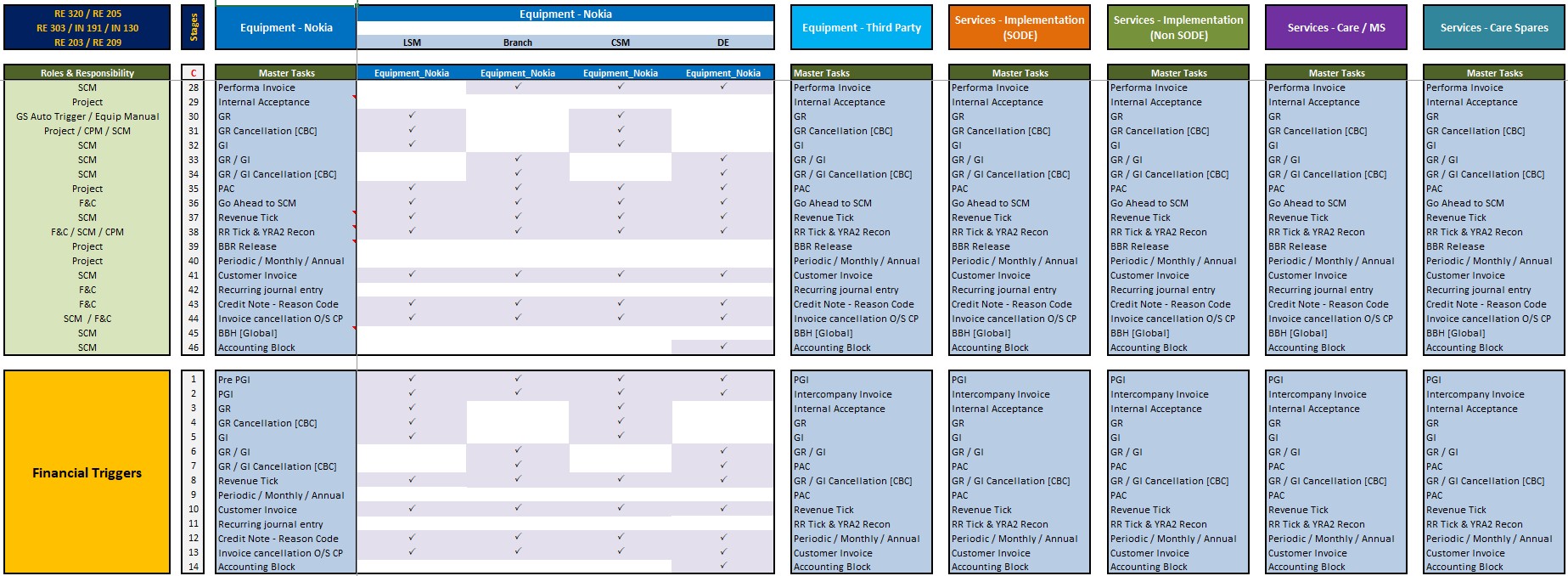
Maximizing Efficiency: A Guide to ERP Process Flows and Financial Triggers
In a modern business environment, an Enterprise Resource Planning (ERP) system is more than just a database; it is the “central nervous system” that aligns every department under a single source of truth. By understanding the ERP process flow and the financial triggers that connect operations to your ledger, you can transform a reactive accounting department into a proactive strategic powerhouse.
What is an ERP Process Flow?
An ERP process flow is the structured sequence of activities that integrates different business functions—such as sales, HR, supply chain, and procurement—into one centralized platform. Instead of departments working in silos, a well-defined flow ensures that data moves automatically between them in real time.
The Role of Financial Triggers
Financial triggers are specific events within these operational flows that automatically initiate an accounting action. In a manual system, these often require human intervention (e.g., emailing a spreadsheet), which introduces risks like version errors or missing audit trails. In an ERP, these triggers ensure that every operational move has an immediate and accurate financial reflection.
Key ERP Process Flows and Their Financial Triggers
1. Procure-to-Pay (P2P)
This flow covers the lifecycle of purchasing goods or services, from the initial requisition to the final payment.
- Trigger: Goods Receipt Note (GRN) – When the warehouse logs that items have arrived, the ERP automatically records a liability and updates inventory valuation.
- Trigger: Invoice Approval – Matching the vendor’s invoice against the Purchase Order (PO) and GRN triggers a credit entry in Accounts Payable.
2. Order-to-Cash (O2C)
This flow manages the sales cycle, ensuring that customer orders lead to timely revenue.
- Trigger: Shipment Confirmation – As soon as a product leaves the warehouse, the ERP triggers a “Cost of Goods Sold” (COGS) entry and generates a sales invoice.
- Trigger: Invoice Issuance – This automatically updates Accounts Receivable, setting up payment deadlines and automated reminders.
3. Hire-to-Retire (HR & Payroll)
Integrating HR into your ERP connects your largest cost—personnel—directly to your budget.
- Trigger: Timesheet Approval – Approved hours act as a trigger to calculate wages, tax deductions, and benefits, immediately accruing these as payroll expenses in the general ledger.
4. Inventory and Production
For manufacturers, the movement of raw materials is a critical financial data point.
- Trigger: Work Order Completion – When a production run is finished, the ERP triggers an update to reflect the conversion of raw materials (and associated labor) into finished goods valuation.
Strategic Benefits of Automated Financial Triggers
- Real-Time Financial Reporting: Get instant visibility into your profit and loss statements without waiting for a manual end-of-month “close”.
- Reduced Human Error: Manual data entry is prone to mistakes; automation verifies data at the point of entry.
- Continuous Compliance: Triggers ensure that audit trails are created automatically, meeting standards like GAAP or IFRS with minimal stress.
- Cash Flow Mastery: Automated triggers in AR and AP help maintain healthy liquidity by providing precise forecasts of incoming and outgoing funds.
Best Practices for Implementation
- Map Your Flows First: Before looking at software, document your current “as-is” processes to identify where manual bottlenecks exist.
- Start Small: Begin by automating core functions like Accounts Payable and Accounts Receivable before moving to complex production flows.
- Prioritize Clean Data: An ERP is only as good as the information it processes; data cleansing is a non-negotiable step before going live.
- Engage Stakeholders Early: Involve the “people you can’t do without”—the experts who understand the nuances of your business’s financial logic.
Companies like
SAP,
Oracle NetSuite, and
Microsoft Dynamics 365 offer robust platforms to help you master these flows and secure your financial future.
Ready to streamline your operations? You can use the ERP ROI Calculator to see how much your business could save by automating these triggers.